Stream: Add a Quiz to Your Stream Recording
Summary
Add interactivity to your recorded content using Stream and Forms
Body
Question
How to add a quiz to the Stream recording?
Answer
Get your form or quiz in Forms
-
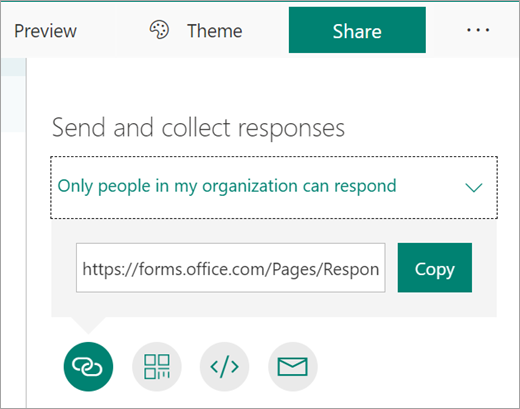
Create form > share > copy link
Find your video in Stream
-
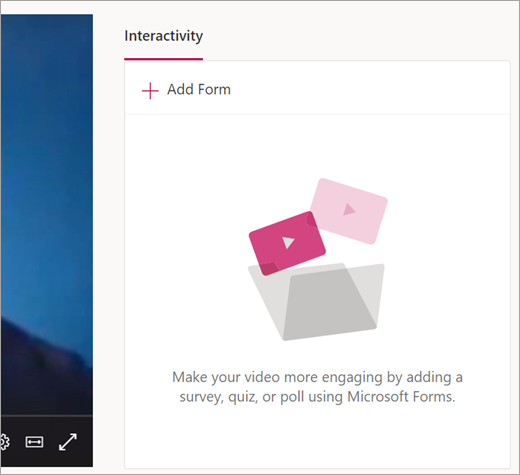
In the Interactivity tab, select +Add Form.
-
Paste in the link you copied from Forms.
Add your link
-
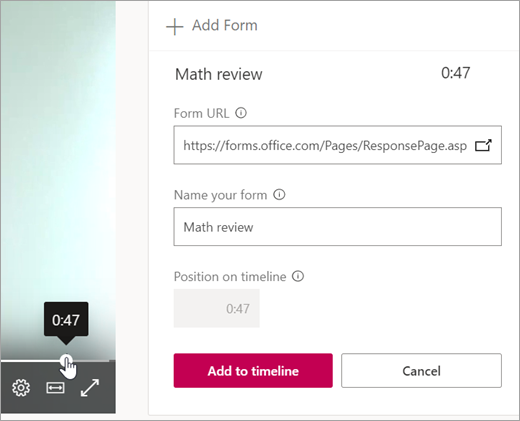
Paste in the link you copied from Forms and give your form or quiz a name.
-
You get to choose exactly when in the video your viewers see the form or quiz. Use the timeline slider on the video to choose the time. The time you choose will be reflected under Position on timeline.
Watch a video
Details
Details
Article ID:
134928
Created
Mon 10/18/21 11:01 AM
Modified
Mon 10/2/23 4:01 PM